How to Record Your Swing
Before You Begin
This tutorial assumes that you already know how to start a Session. If you don’t, read the Quick Start Guide.
Quick Start
Step 1 – Select Number of Camera Angles and Connect Them
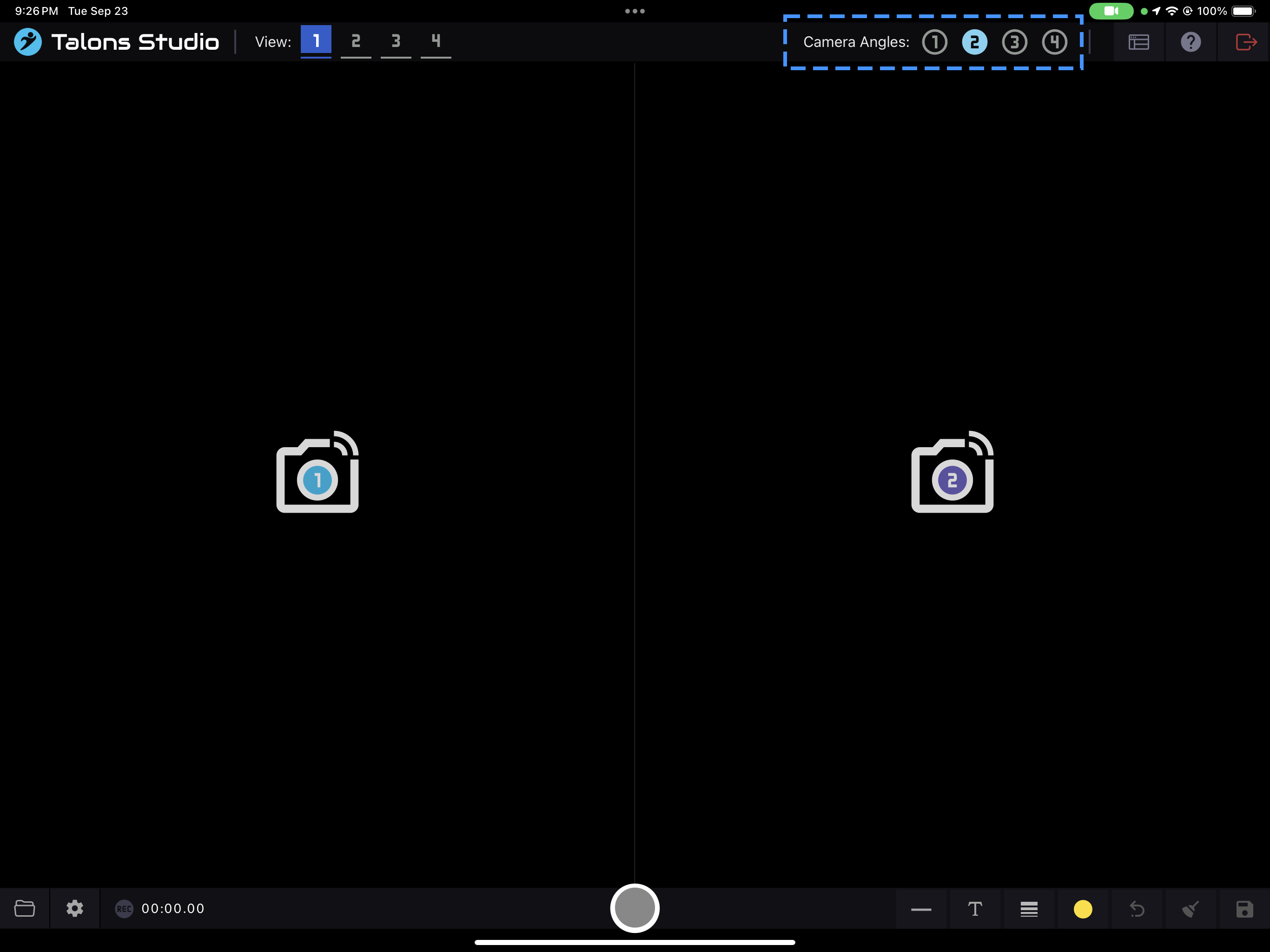
Select the number of camera angles by clicking the number on the top right corner.
Next, connect the same number of phones/cameras to fill the view.
Step 2 – Choose Your Record Settings
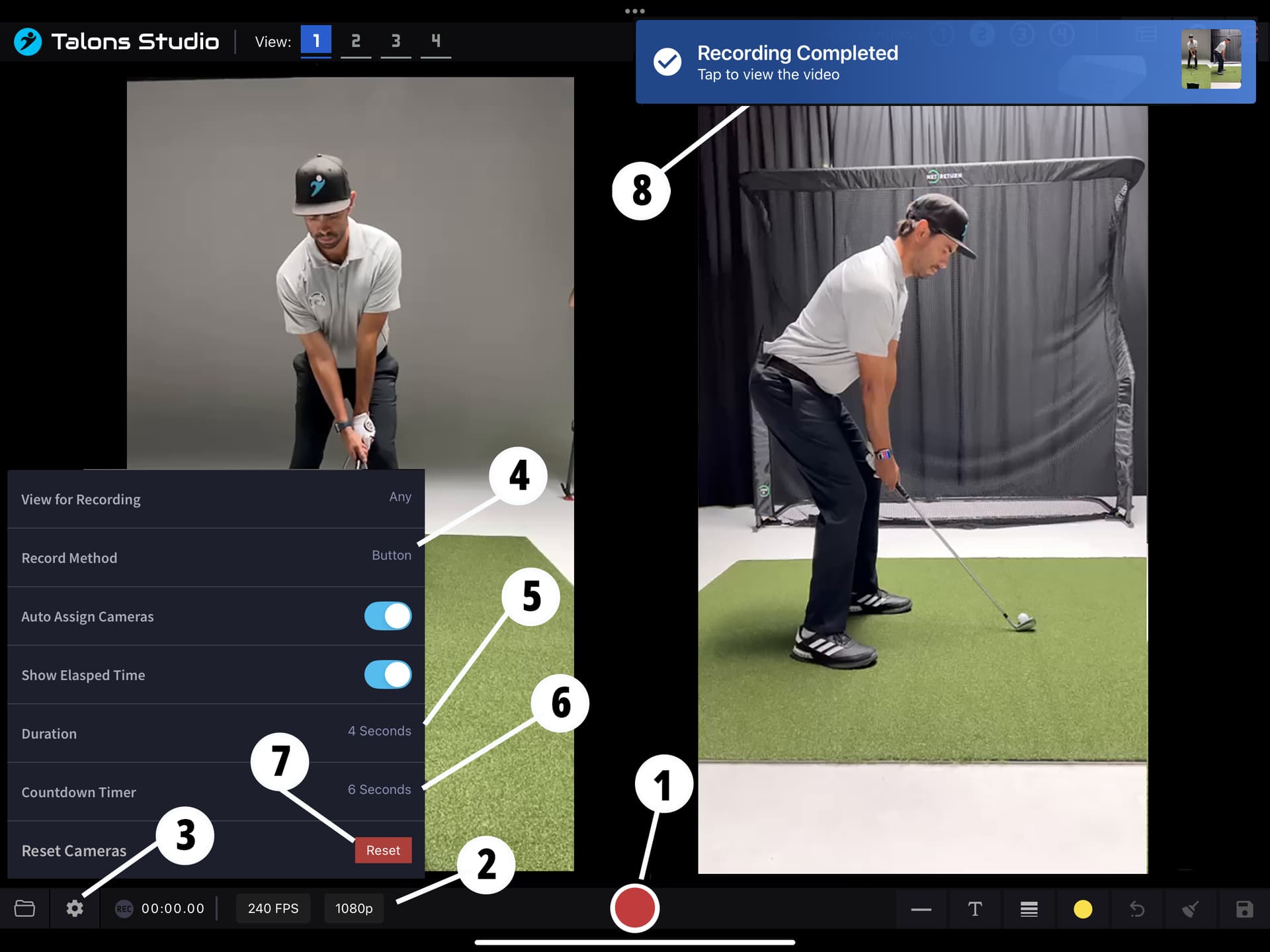
Once you have connected all the cameras, the button in the center will turn red. That means you can start recording. Before you begin, review these record settings:
- Record Method – Controls how the recording is initiated.
- Button (default): Start recording by pressing the red button in the center.
- Bluetooth: Requires an Apple Watch with the Talons Studio app. Start by pressing the watch button or using the Waggle gesture.
- Voice: Say “Record” to start recording.
- FPS & Resolution – Adjust frames per second (FPS) and resolution (720p, 1080p, or 4K). Options depend on the connected devices.
- Settings Menu – Tap the cog button to open Record Settings.
- Duration – Controls how long the recording lasts.
- Countdown Timer – Sets the delay before recording starts after initiation.
- Reset – Use this if cameras don’t reliably reconnect after recording.
- Completion Notification – A banner will confirm when recording is finished.
Step 3 – Initiating Record
When the middle button is red and your settings are configured, start recording using your chosen method.
- Initiating recording triggers the countdown timer.
- Recording will then run for the duration you selected.
- Depending on the number of camera angles, FPS, and resolution, it may take some time for processing to complete.
Step 4 – View the Recording
Once the tablet receives all recordings, a banner will notify you that it’s complete.
You can view your recording by:
- Clicking on the banner notification, or
- Tapping the Folder icon (bottom left, next to Label 3 from Step 2).
 You’re now ready to record and review your swings with Talons Studio!