While we do our best to synchronize swing recordings across all camera angles, slight timing differences can occasionally occur. Network latency, device timing variations, or other factors may cause the videos to be off by a few milliseconds.
The good news is that you can manually correct the alignment. This guide will walk you through how to do that.
Step 1 — Select the Out-of-Sync Recording and Disable Play Lock
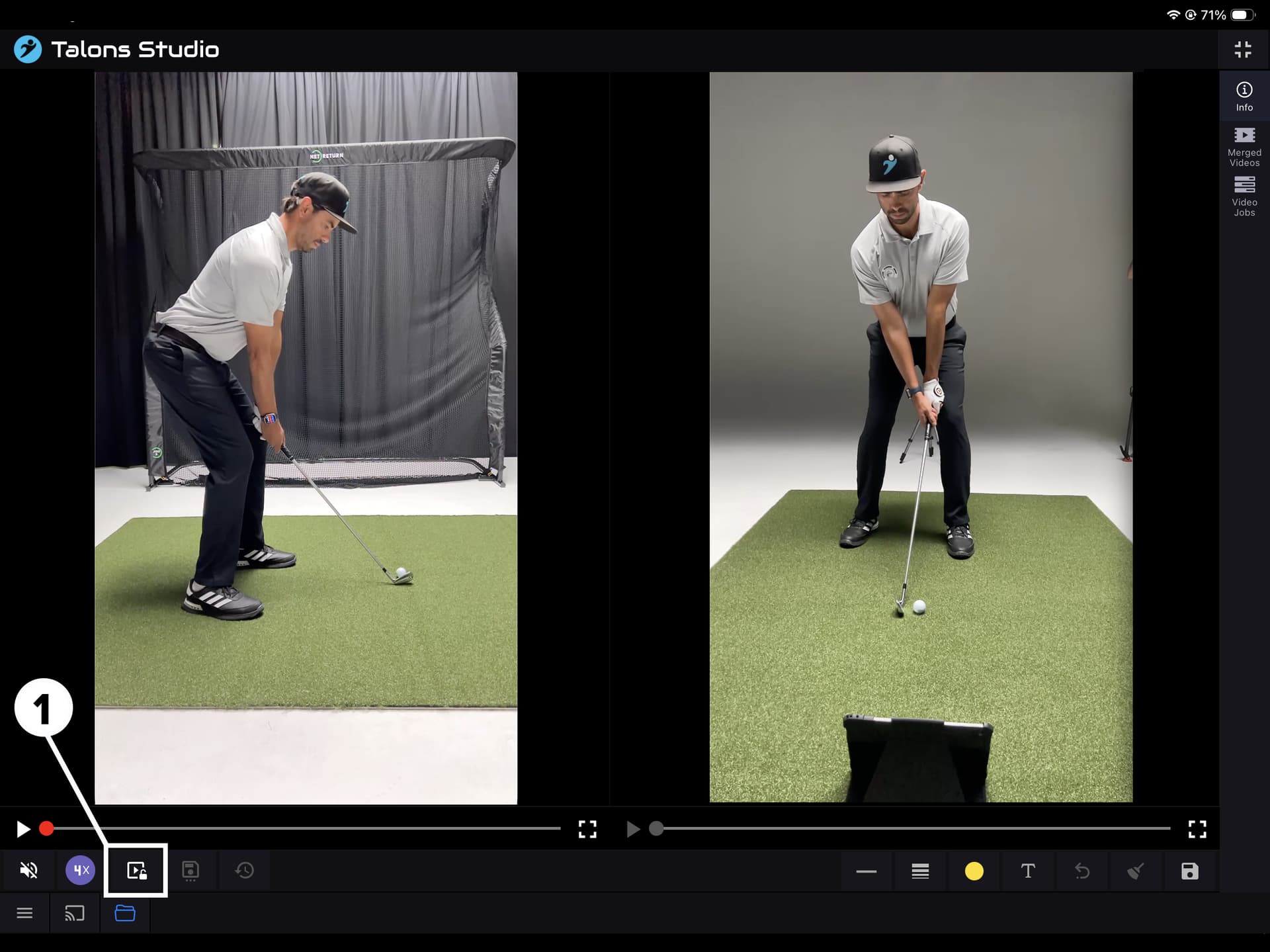
- Open the recording that needs synchronization.
- Toggle Play Lock off by tapping the Lock Toggle button.
This allows you to play or scrub each camera angle independently.
Step 2 — Align Each Camera Angle to the Same Moment
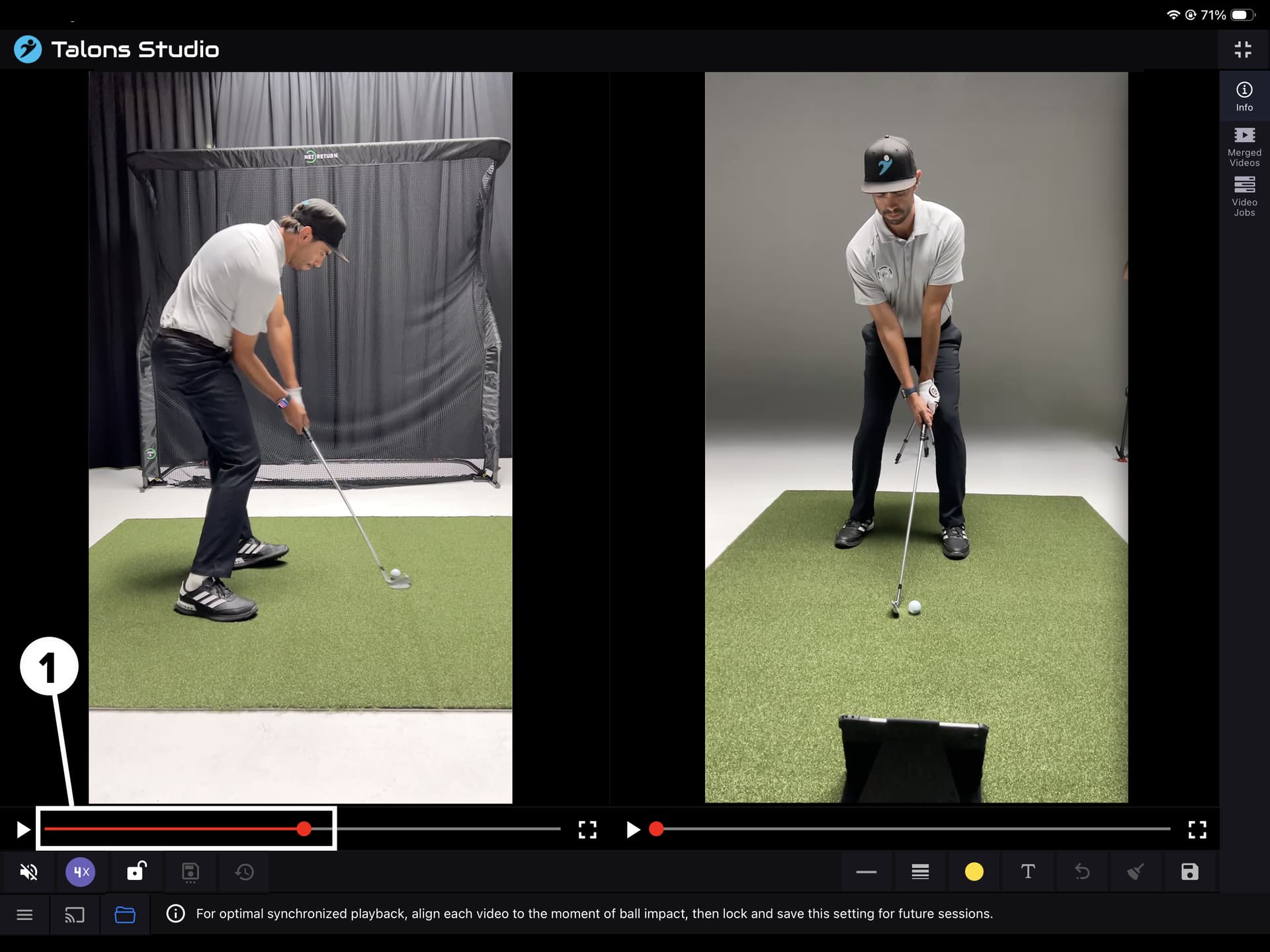
- Scrub each camera angle so they all line up at the same point in time.
- For best results, align the videos at—or just before—ball impact.
This is usually the most consistent and easiest reference point. - Repeat this for every camera angle.
Step 3 — Re-enable Play Lock
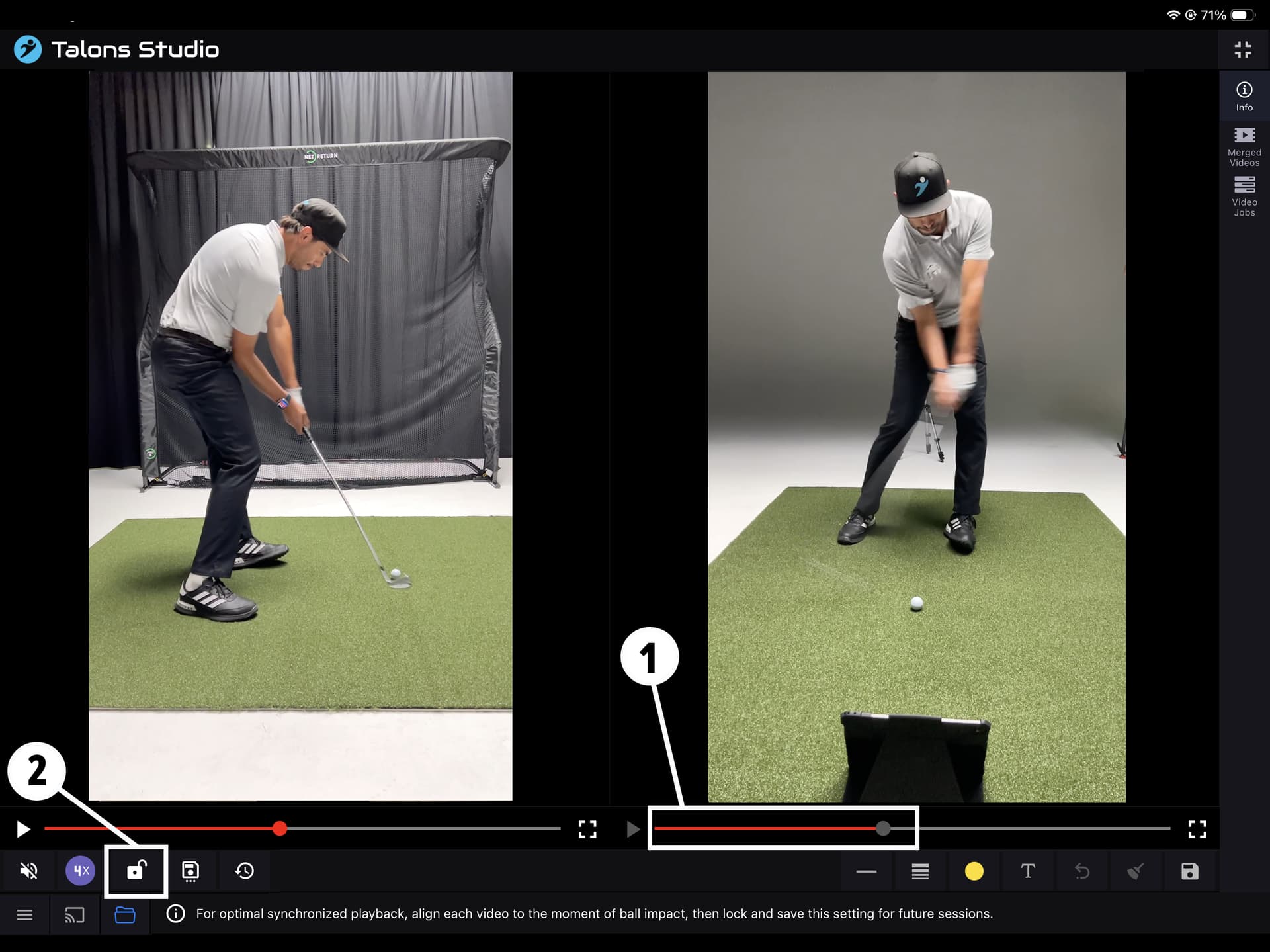
Once all camera angles are aligned, toggle Play Lock back on to relock synchronized playback.
Step 4 — Save the Alignment Settings
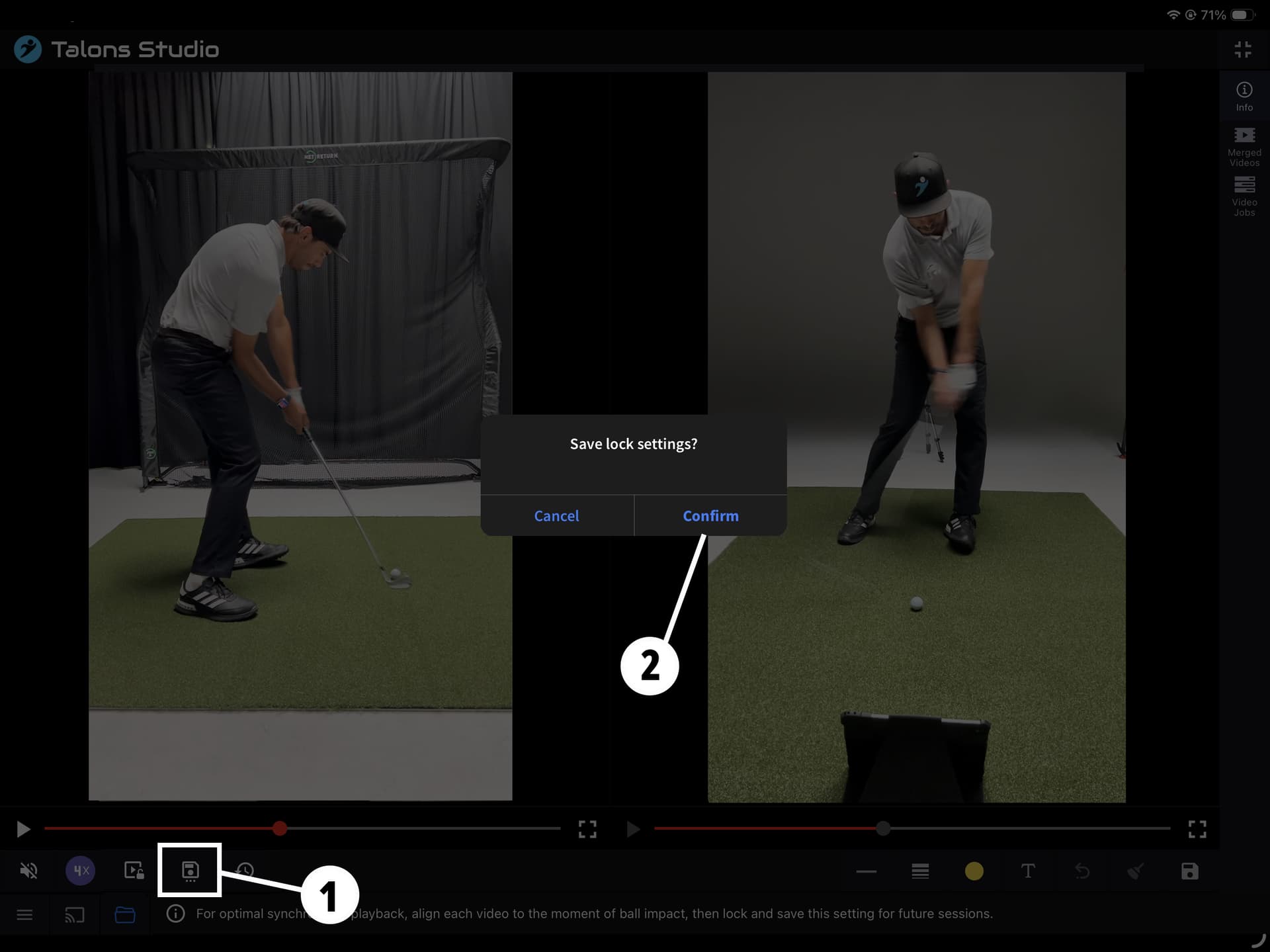
- Tap Save.
- When prompted, confirm that you want to save the settings.
From now on:
- Playback will remain synchronized
• • Any merged video will automatically use the saved alignment